What's new on the Portfolio page
The revamped Portfolio page ships three quality-of-life upgrades: a performance chart on by default, mSOL in your wallet balance, and in-app send and receive for any Solana token.
We've launched a revamped Portfolio page today. Here are the quality-of-life improvements we packed in.
What's new:
- Performance chart on by default
- mSOL now in your wallet balance
- Send and receive any Solana token, in-app
See your performance, out of the box
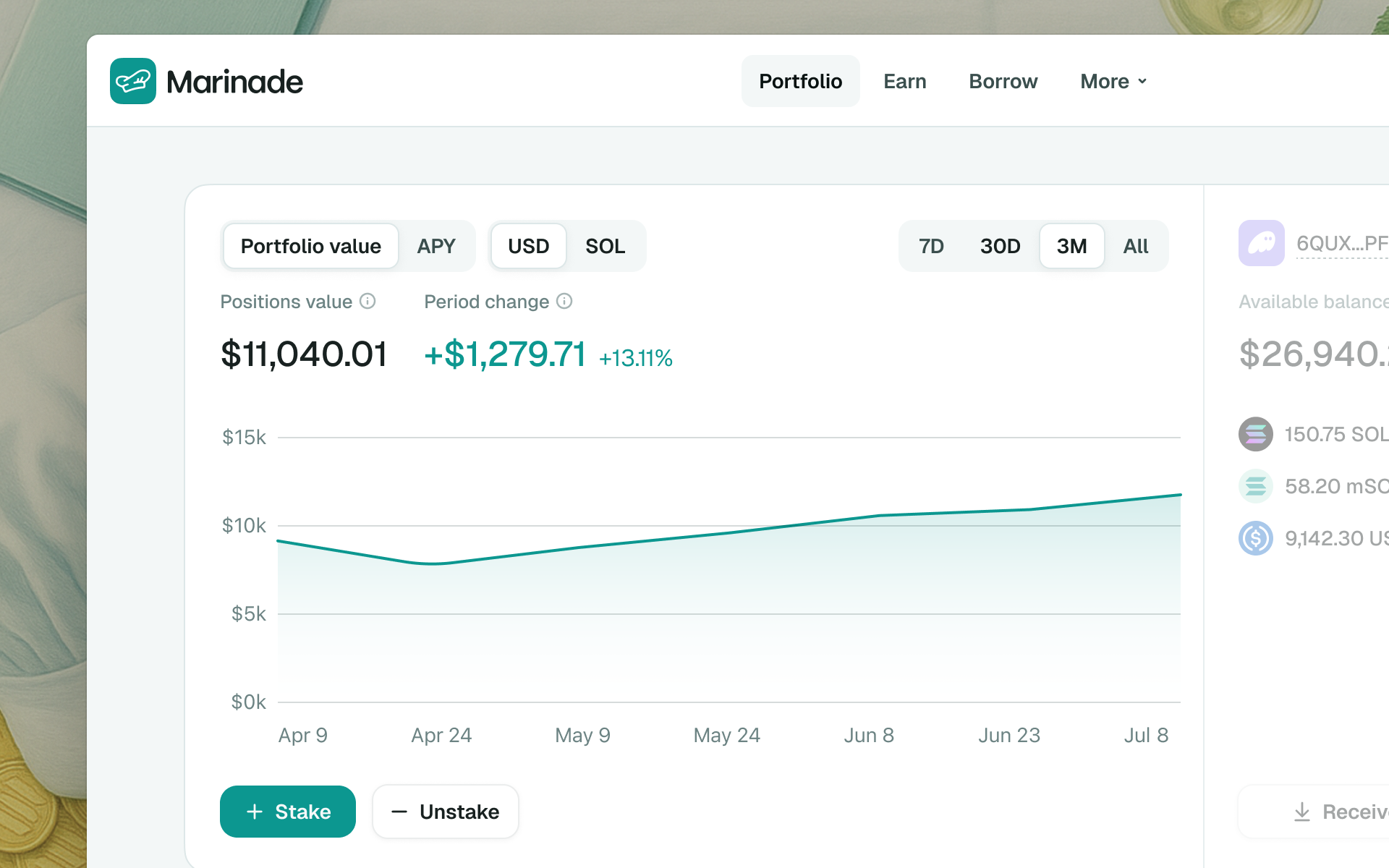
Watching your portfolio's growth used to mean generating a staking rewards report on demand. Now, the new performance chart shows your position value growth over time by default.
You can toggle between two charts, each with the option to narrow down to a specific timeframe:
Portfolio performance:
- Portfolio value is the combined value of all your active positions across Marinade products at a given moment.
- Period change is the change in total position value over the selected period, including all deposits and withdrawals.
- The USD / SOL toggle lets you view values in either denomination.
APY:
- Shows your positions' combined APY, weighted by how much you hold in each.
mSOL, right where it belongs
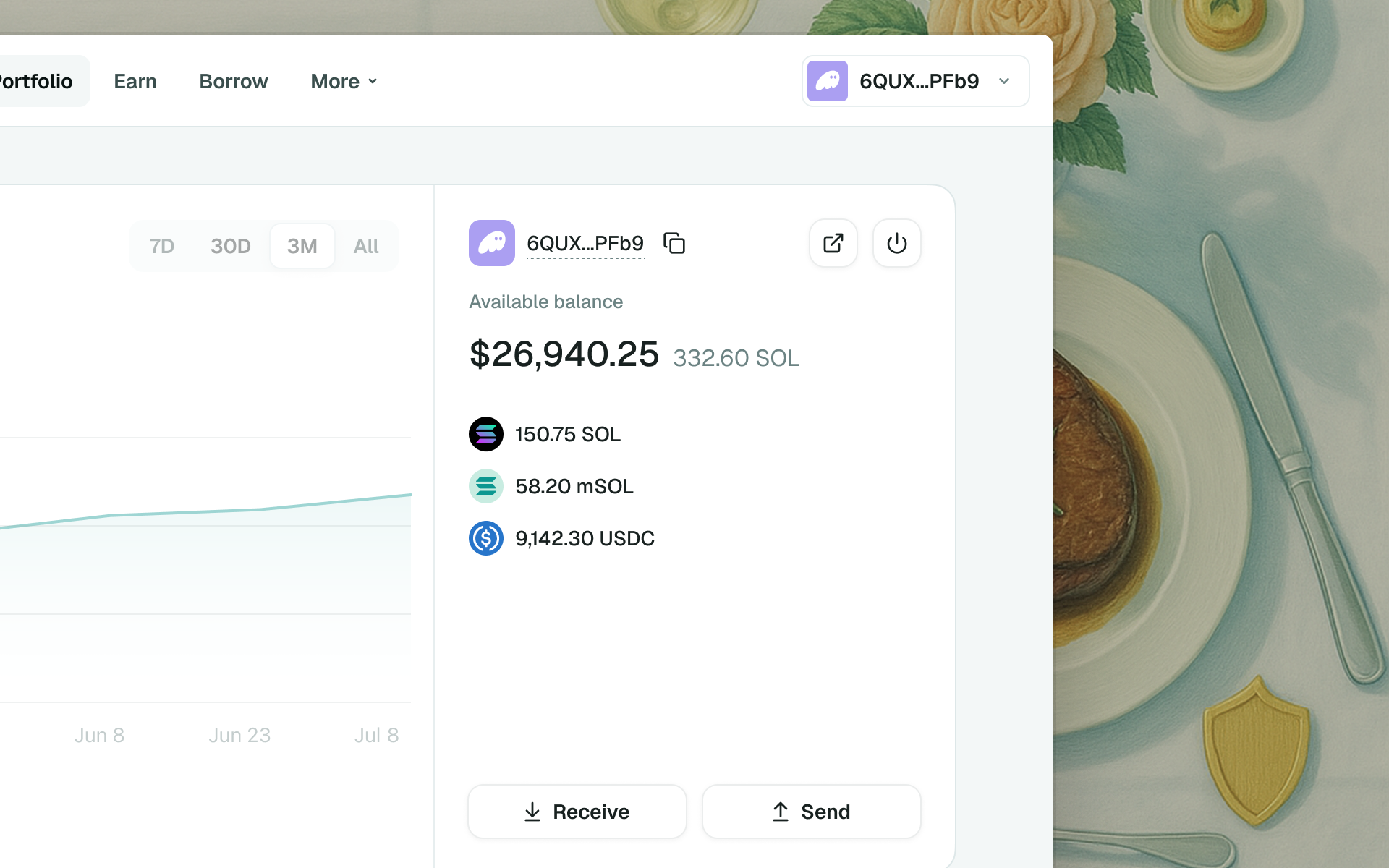
Liquid staking means your tokens are actually liquid, so now they act like it. Your mSOL balance shows up right next to your other tokens in the wallet balance breakdown, instead of being tucked away separately.
Wallet balance shows your available funds across the SOL, mSOL, and USDC tokens.
note
If your wallet holds funds in other tokens, they won't show up here.
Send and receive, without leaving the app
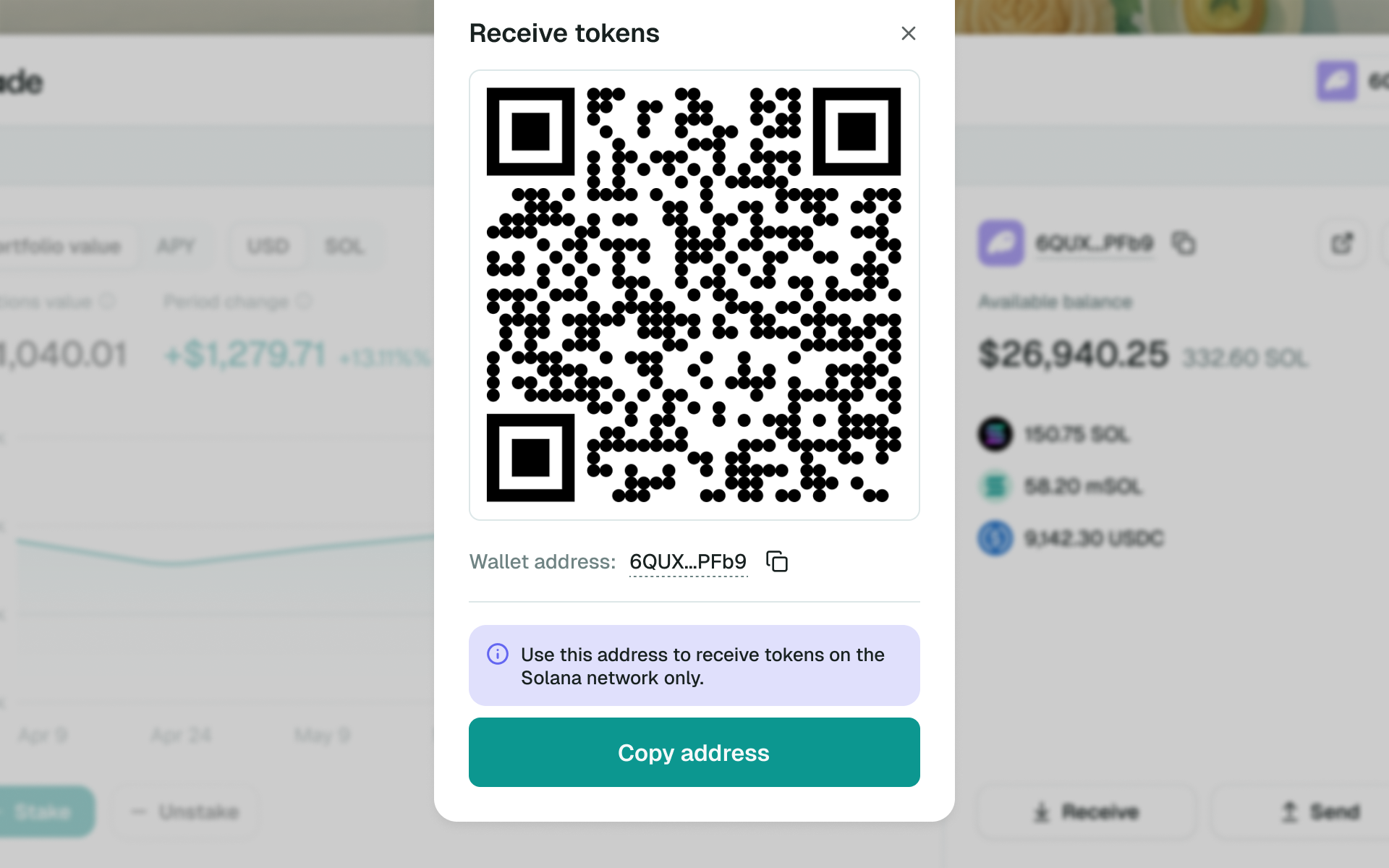
No more bouncing between apps just to move funds around. Top up your balance or send tokens to any Solana address, directly inside Marinade.
Head back to Portfolio to check it out.